Inspirational Quotes is part of our Smart Content, ready-made for you to display on your screens. With it comes a set of beautifully presented motivational and mindful quotes; you can even add to it with your own quotes. Display this content on your screens by following the steps below:
- In the top right corner of your Feed, click Add and select Smart Content
- Click on Inspirational Quotes.

- In the top right corner, click Add to Feed.
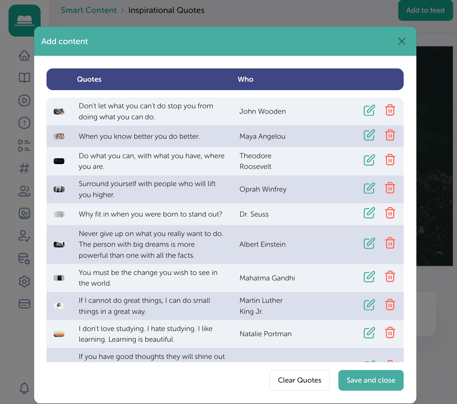
- In the pop-up, you’ll see a pre-made list of quotes. You can choose to keep these, customise them, delete them or add your own. The list of quotes consists of 3 columns from right to left:
- Quotes
- Who (author)
- Edit and Delete
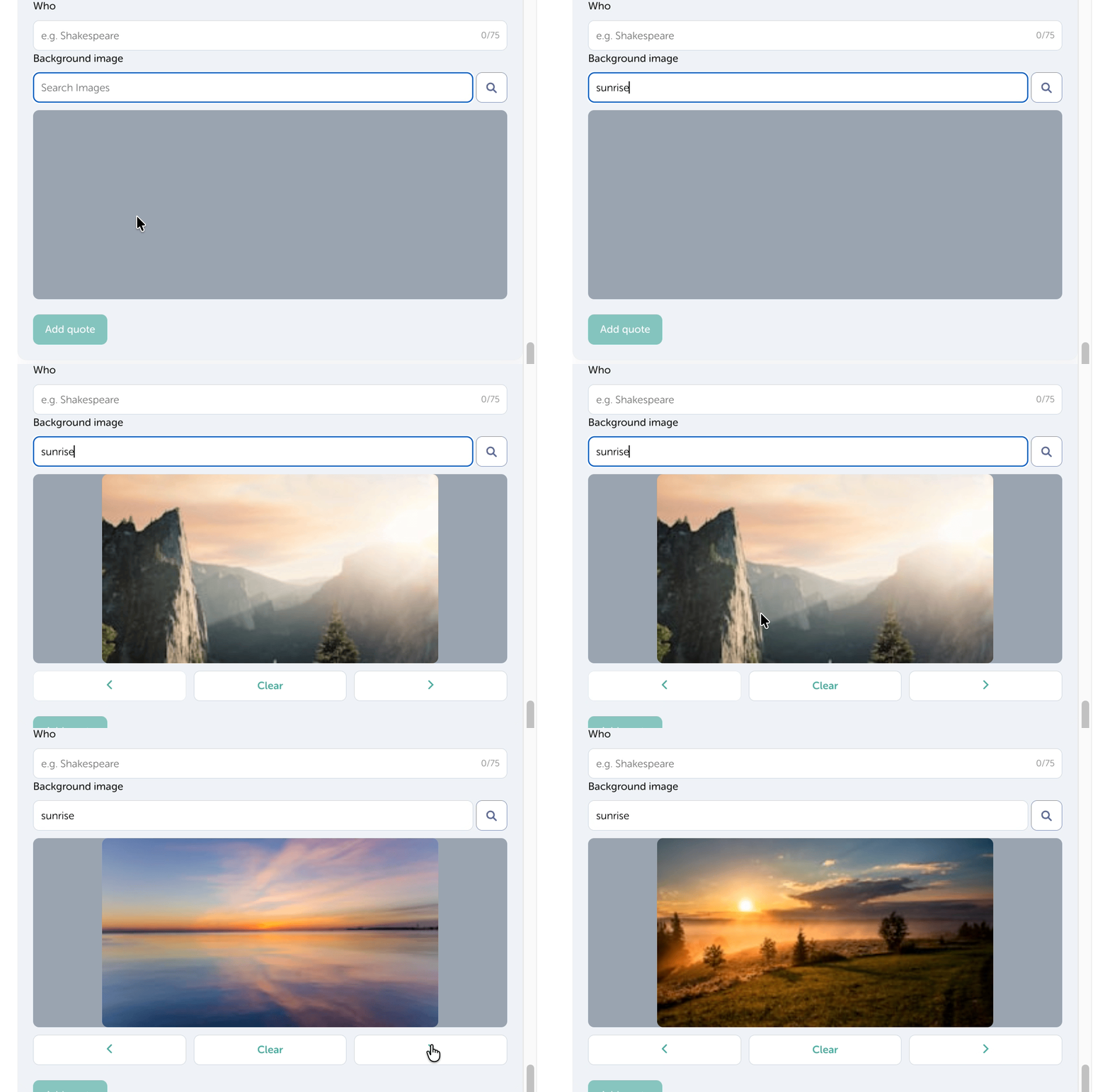
- Optional: To create a quote, simply enter your quote and who the quote is by in the box below the list. You can choose a background image for the quote by searching our gallery of images.
-
Finish by selecting your preferred font and click Save and Close to update your changes
IMPORTANT
By clicking Clear Quotes, you remove the pre-made bank and any quotes you've created. Once actioned, these cannot be retrieved.