
Super Stats allow you to share an achievement or progress toward a target with your community. Follow the steps below to add this to your digital signage:
- In the top right corner of your Feed, click Add and select Smart Content.
- Click on Super Stats.
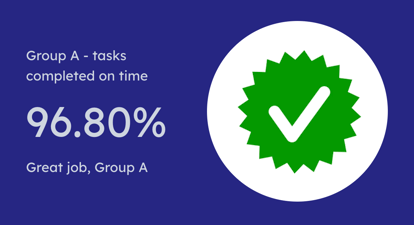
- This will open an edit option where you can customise your content:
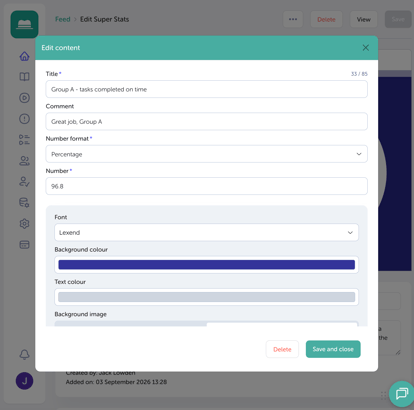
- Add a title for the content, i.e. Group A - tasks completed on time.
- Enter a comment, i.e. Great job, Group A.
- Select the number format for the stats: number, currency, or percentage (if choosing currency, you'll be asked to choose the currency value, i.e. £, $, €).
- Number, i.e. 96.8
-
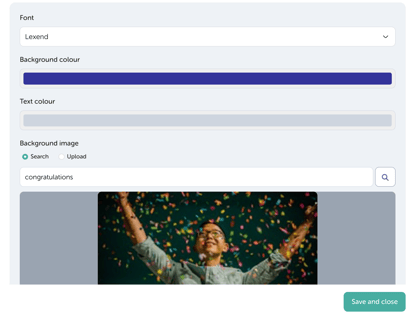
Optional: You can choose to customise your Super Stats by changing the font, background colour and text colour, as well as add a background image; either search our gallery for a background image or upload your own.
- Once you're happy with your changes, click Save and Close to add the content to your feed.